Description
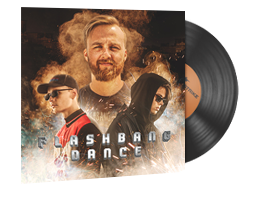
This Music Kit will replace all of the music in the game and is shareable with anyone you are playing with. It also includes an MVP Anthem that plays for everyone in the match when you are MVP.
The Music Kit replaces the following music:
– Main Menu
– Round Start and End
– Map Objective
– Ten Second Warning
– Death Camera
1. Buying a Skin – Step by Step
- Pick a Skin:
Browse our marketplace and choose the item you'd like to purchase.
- Add It to Your Cart:
Hit the “Add to Cart” button and get ready to check out.
- Sign In or Register:
Log into your account or create one in seconds—it helps speed things up.
- Check & Pay:
Double-check your order, apply promo codes if you have any, and complete the payment.
- Get Your Skin:
Once paid, follow the delivery steps in your email or your user dashboard.
2. Selling a Skin – Quick Guide
- Create or Access Your Account:
You need an account to sell. Don’t have one? Sign up—it's quick and free.
- Go to the Selling Page:
Click on “Sell Skins” from the main menu or your profile panel.
- Add Your Skin:
Fill in the details: skin name, condition, maybe a screenshot or two.
- Set Your Price:
Enter the amount you want. Not sure? Check current market prices for help.
- Submit for Review:
Once submitted, our system will check the listing before it goes live.
- Get Paid:
When your skin is bought, complete the trade and receive your payment.
Have Questions?
Reach out to our support team contact us via email or send request on contact page - we’re here to help!